
2)After selecting this option, enter your salesforce domain name (e.g. mycompany.salesforce.com) and press Continue.
3) You should then be prompted with the SSO authentication. Once processed, you should be able to use DataGroomr with your SSO-enabled org.
Speed up future logins by saving your Salesforce Org ID
To make future logins faster and easier, DataGroomr allows you to remember your Salesforce Organization login.
When you log in using Log in with Salesforce (or Salesforce Sandbox), you’ll see an option labeled Save Organization ID.
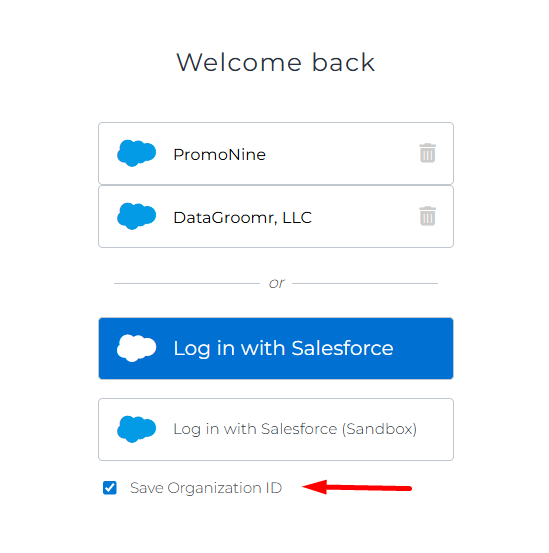
If this option is checked:
DataGroomr securely stores your Salesforce Org ID in your browser
Your org will appear on the Welcome back screen the next time you visit
You can log in with one click, without reselecting your org
This is especially useful if you:
Frequently switch between multiple Salesforce orgs
Manage multiple customer orgs
Want a quicker shortcut for daily access
Saving the Organization ID does not store your Salesforce credentials. Authentication is still handled securely through Salesforce SSO every time.
Removing a saved org
If you no longer want an org remembered:
Click the trash icon next to the org on the login screen