
Copy Configuration lets you compare and copy configuration between your organizations (production and connected sandboxes). Use it to promote tested configuration from a sandbox to production, or to seed a fresh sandbox with your production setup, or move between sandboxes.
You can find it under Setup > Manage Sandboxes > Copy Configuration. It is available to Account Admin users and requires a Standard subscription. Sandboxes must first be registered on the Manage Sandboxes page.
What can be copied
- Datasets
- Matching Models
- Master Record Rules
- Field Merge Rules
- Transform Rules
- Data Quality Models
- Enrichment Actions
- Triggers
- Jobs
- Workflows
- Dictionaries
Comparing organizations
Select an organization on each side using the Left and Right dropdowns. The page lists each entity type side by side, so you can see which items exist in only one organization. Use the swap button between the dropdowns to switch sides.
Click Compare Content to match entities not just by name but by their actual content. After a content compare, each matched row is marked as equal or different, and rows can be expanded to see field-level differences.
Use the All / Different / Equal toggle and the filter box to narrow the list to the items you care about.
Copying items
Select the items you want with the checkboxes, then click Copy To Left or Copy To Right. You can also copy a single row with the arrow button on the row, or drag items from one side to the other.
Items that already exist on the target side are updated; items that do not exist are created. Copy results are reported per item, so partial failures are visible immediately.
Copying a single matching model or merge rule
To copy one matching model or merge rule without opening Copy Configuration, open it from Dedupe Settings:
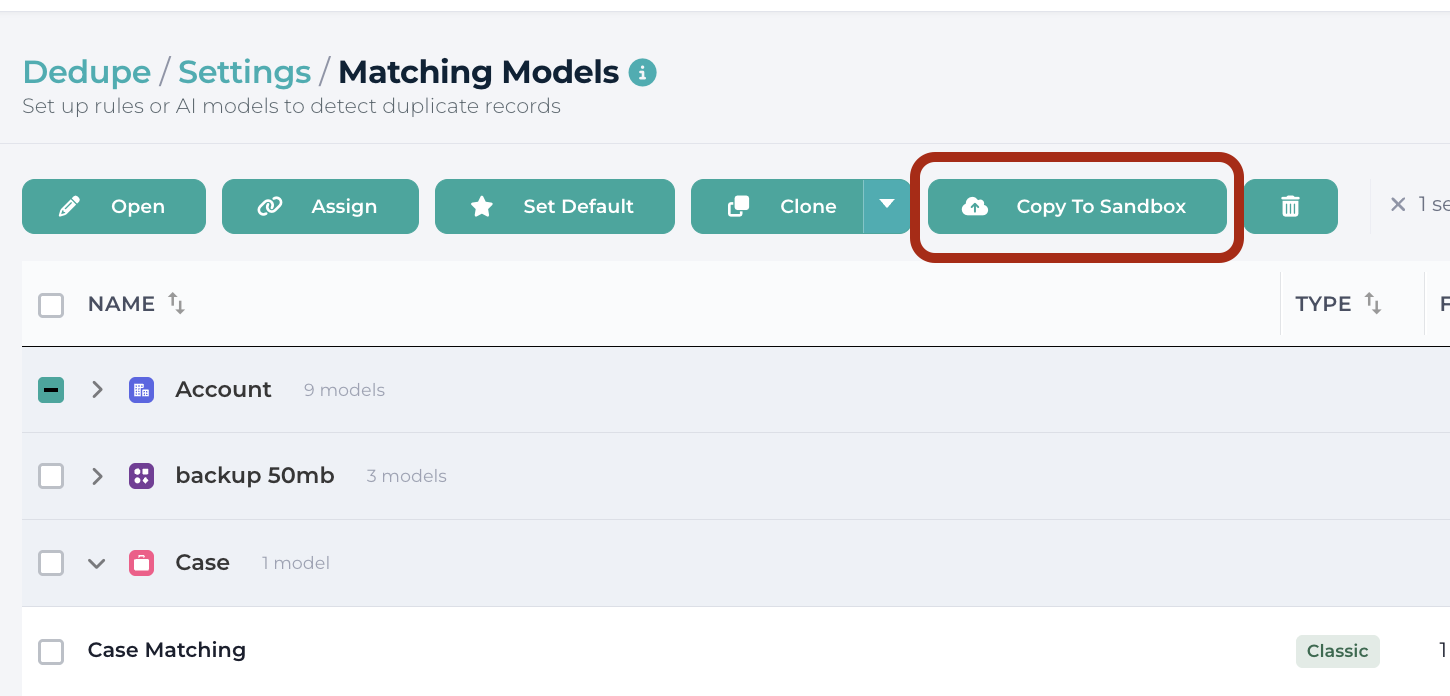
- Matching model: on the Matching Models list, select the model and click Copy to Prod or Copy to Sandbox.
- Merge rule: on the Merge Rules list, select the rule and click Copy to Prod or Copy to Sandbox.
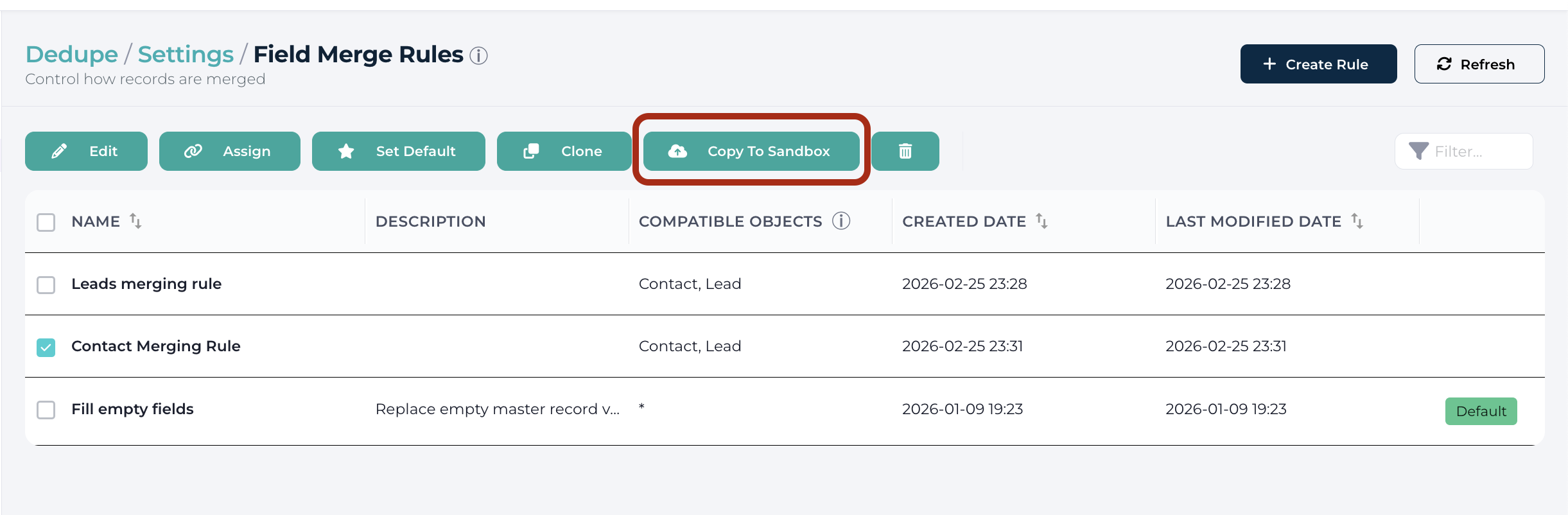
Copies go from production to a sandbox or from a sandbox to production. To compare and copy several items at once, use Copy Configuration as described above.
Notes
- Copying references between entities (for example, a trigger that uses a matching model) requires the referenced entity to exist on the target side.
- Copy Configuration moves configuration only — it does not copy Salesforce records.