Match Confidence indicates how strongly DataGroomr believes that records in a duplicate group represent the same entity. The score is calculated by comparing values across multiple fields by evaluating how closely those values match. Each duplicate group receives a Match Confidence score to help determine whether records should be merged, reviewed, or left unmatched. The match breakdown is available for AI/ML Matching Model and Classic Matching Model.
The match breakdown can be accessed via 3 ways:
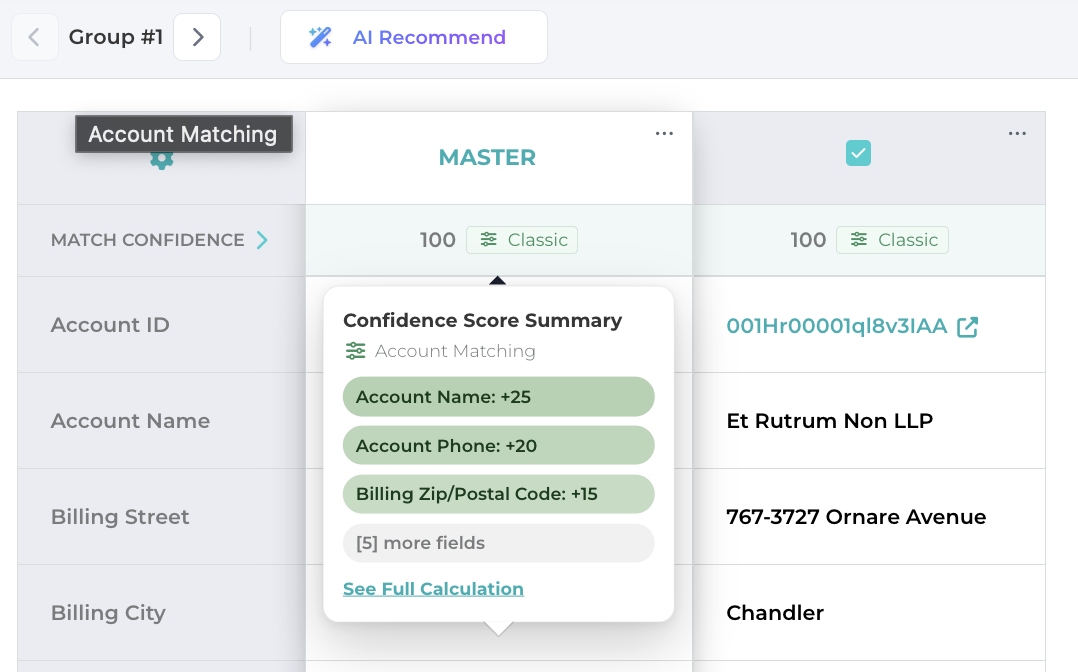
1. Confidence Score Summary
Hover over the Match Confidence score to view the Confidence Score Summary. This popover highlights the top three fields that contributed most to the Match Confidence score.
If more than three fields contributed to the score, the remaining fields are grouped and displayed as “[X] more fields.”
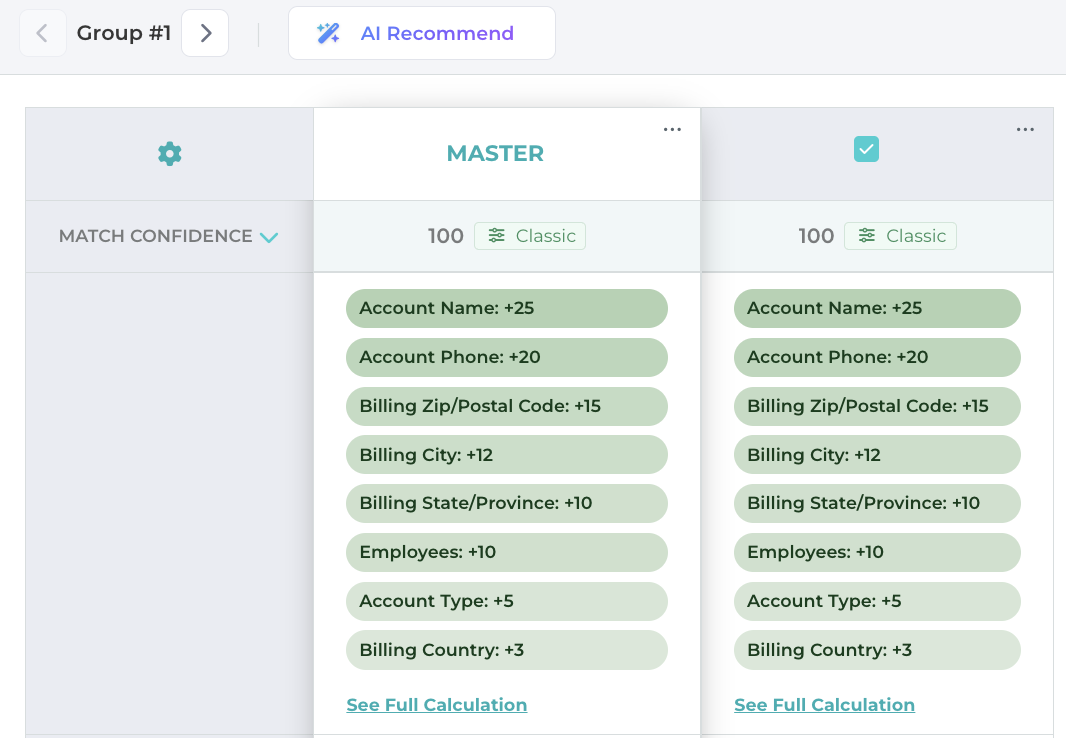
2. Match Confidence Summary for All Fields
Click the expand arrow next to Match Confidence to view the full list of fields contributing to the Match Confidence score for each record in the group. When expanded, the section displays all fields evaluated during the matching process, along with their contribution to the overall score. This view allows you to quickly see which fields increased or decreased the match confidence.
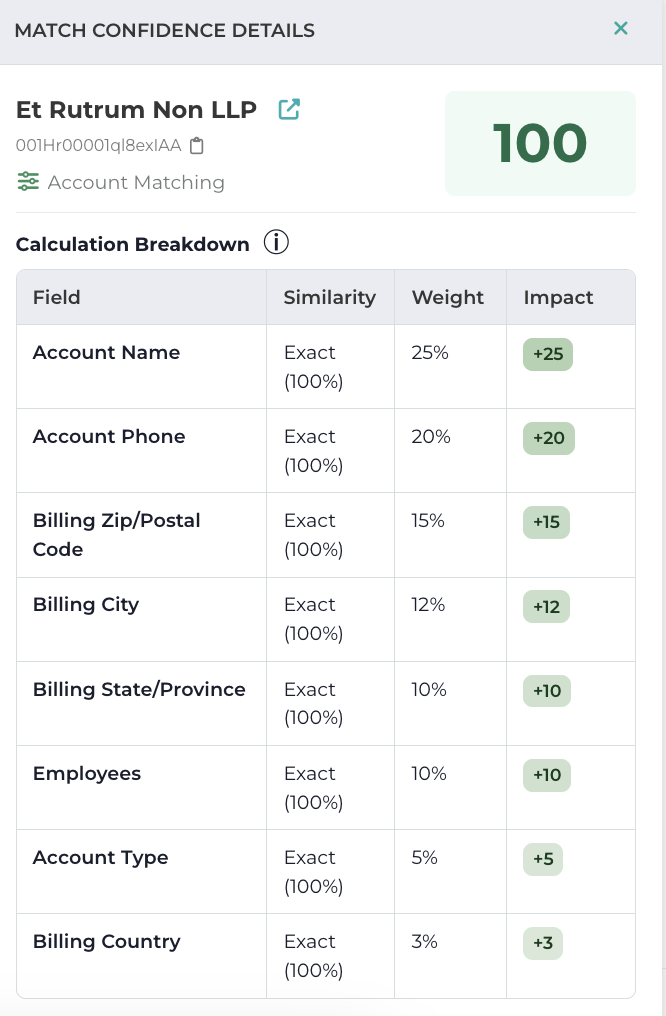
3. Detailed Match Confidence Breakdown
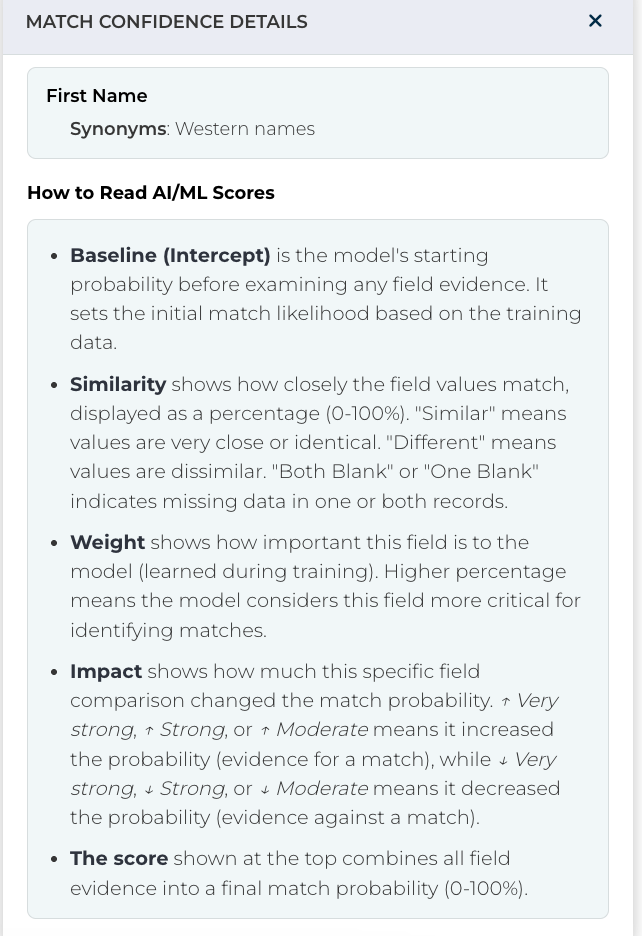
For a deeper understanding of how the Match Confidence score was calculated, select See Full Calculation. This opens the Match Confidence Details panel. This panel provides the most detailed view of the matching process. It shows how each field or component contributed to the final Match Confidence score.
 |  |
Breakdowns for AI/ML Matching Model
The AI/ML Matching Model calculates Match Confidence by evaluating evidence from multiple fields. Each field comparison can either increase or decrease the likelihood that the records represent the same entity.
The model begins with a baseline probability, which represents the initial likelihood of a match before any field values are evaluated. It then analyzes similarities across the configured fields and adjusts the probability based on how closely the records match.
Each field comparison contributes to the score depending on:
how similar the values are between records
how important the field is to the model
whether the comparison increases or decreases the likelihood of a match
Field Contribution Indicators
The impact of each field on the Match Confidence score is shown using contribution indicators. These indicators help you quickly understand how strongly a field influenced the match.
- ↑ Very Strong / ↑ Strong
Indicates that the field significantly increases the likelihood that the records match. - ↑ Slight
Indicates a smaller positive contribution toward the match. - ↓ Slight
Indicates that the field slightly decreases the likelihood of a match. - ↓ Strong / ↓ Very Strong
Indicates that the field strongly decreases the likelihood that the records match.
AI/ML Model Types
The AI/ML model uses the following types to describe how fields contribute to the score.
- High - Strong evidence that the records match.
- Group - Represents grouped fields defined during model configuration.
- Low - Weak evidence supporting a match.
- Baseline - The model’s starting probability before examining any field evidence.
- Probable - Evidence suggesting that the records may not match.
Breakdowns for Classic Matching Model
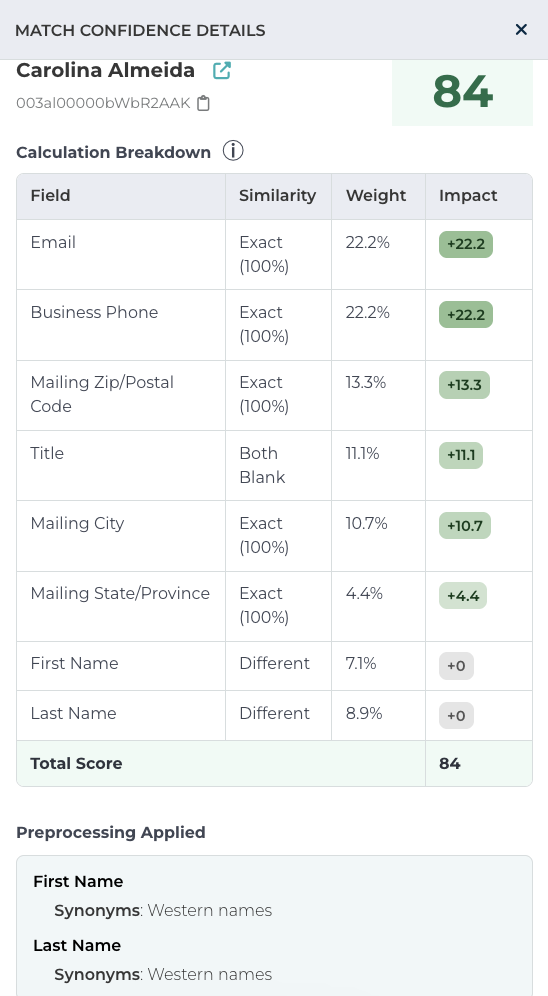
The Classic Matching Model calculates Match Confidence using predefined match rules and field weights. Each field comparison contributes to the final score based on how closely the values match. For fields configured as Exact, the full weight of the field is added to the score when the values match exactly. For fields configured as Similar, a computed fuzzy score is applied based on how closely the values match.
Classic Model Types
When using the Classic model, field comparisons are categorized using the following.
- Exact - Values match exactly.
- Group - A match occurs if the value in any field within the same group matches.
- Similar - Values are similar but not identical.
- Different - Values are different.
- Mismatch - Non-matching fields whose scores are penalized.
- Both Blank - All values are null.
- One Blank - One or more values are null.
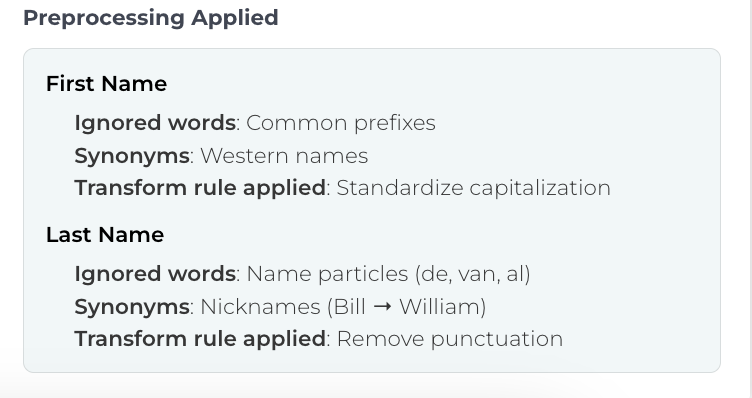
Preprocessing Applied
If configured DataGroomr will apply selected preprocessing steps to standardize values and improve matching accuracy. These adjustments will be shown in the Preprocessing Applied section of the Match Confidence Details panel.
The displayed preprocessing operations are:
Transform Rules - Standardize field values before comparison.
Dictionaries - Apply synonyms or ignore common words during comparison.
Field Merge - Combine multiple fields so they can be evaluated together.
First N Characters - Compare only the first portion of a value.