
The Dedupe module enables customization of the Merge method by replacing Merge with Salesforce Flow.
A Flow Template is included in the DataGroomr Duplicates managed package.
Make sure DataGroomr Duplicates package is installed in your org. Learn more about Installing DataGroomr Package.
Configure the Custom Flow
Navigate to Setup - Flows and select New Flow:

Select the "DataGroomr - Custom Merge Flow" template:
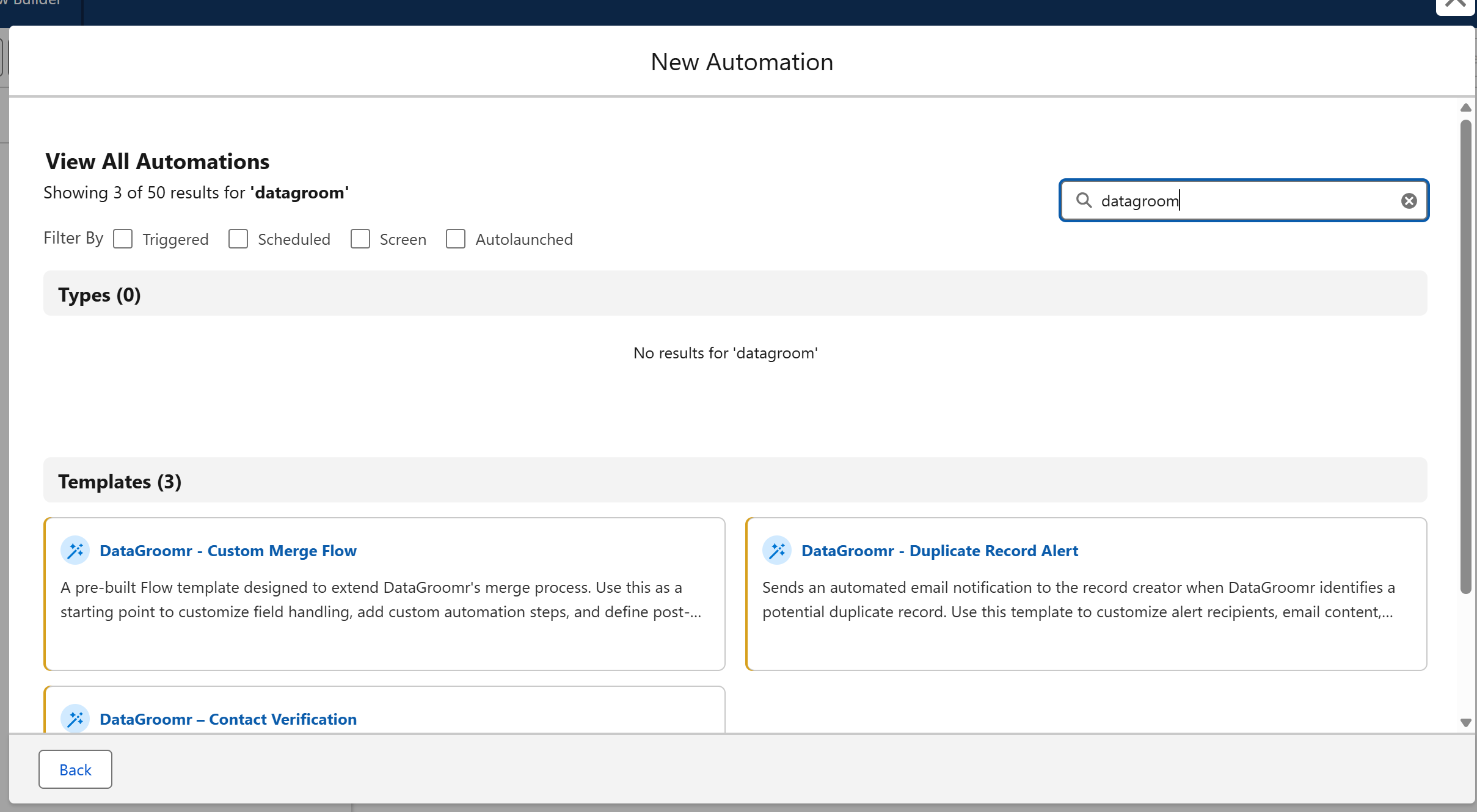
The new flow includes the following blocks:
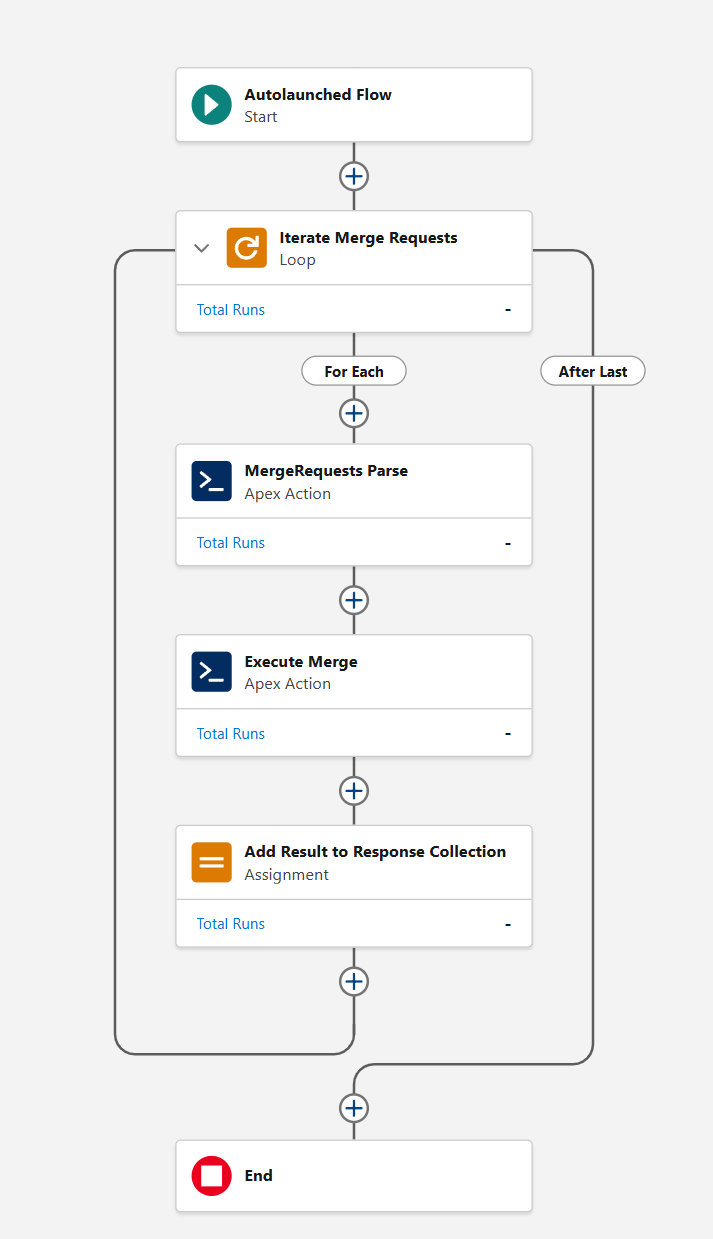
Let’s examine each of these steps to clarify if you wish to customize anything in them or add additional steps:
Start
The flow is invoked from DataGroomr with the merge request in JSON format.
Iterate Merge Requests:
A loop path for looping through items in a collection variable mergeRequests, the mergeRequests contains a set of all matched groups identified for merging. With each iteration, the flow temporarily holds the item in the loop variable.
MergeRequests Parse:
Custom action converts the merge request and assigns values to duplicateIds and masterId Flow variables. It translates request in the following output variables:
- Duplicate Record IDs (String Collection),
- Duplicate Records (Contact Collection),
- Error Message (String),
- Is Success (Boolean),
- Master Record (Contact),
- Master Record ID (String).
Execute Merge:
The custom action that carries out merge using standard Salesforce merge method. This block returns the following output parameters:
- Master Record ID(String),
- Merge Response JSON(String),
- Merged Record IDs(String),
- Success(Boolean),
- Updated Related IDs (String Collection).
Add Result to Response Collection:
Results of each merge are accumulated in the collection mergeResponses which will include results for all merged groups.
End
Accumulated mergeResponses are returned to the calling method so that merge results will be reflected in the Audit and user interface.
Customization
After you finish with the Flow modifications, press "Save" button:
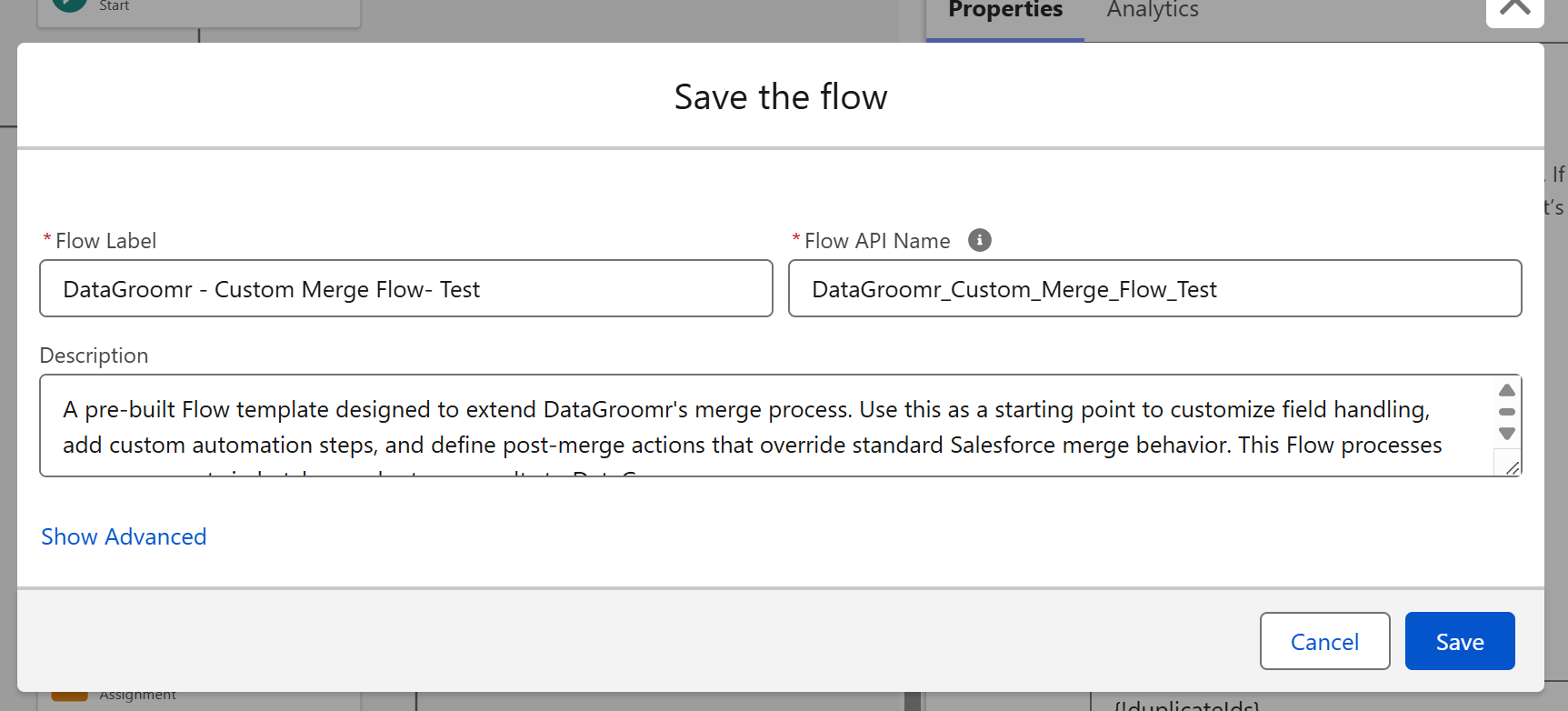
Enter name, click "Show Advanced" and choose "DataGroomr - Custom Merge Flow " template as a Source Template:
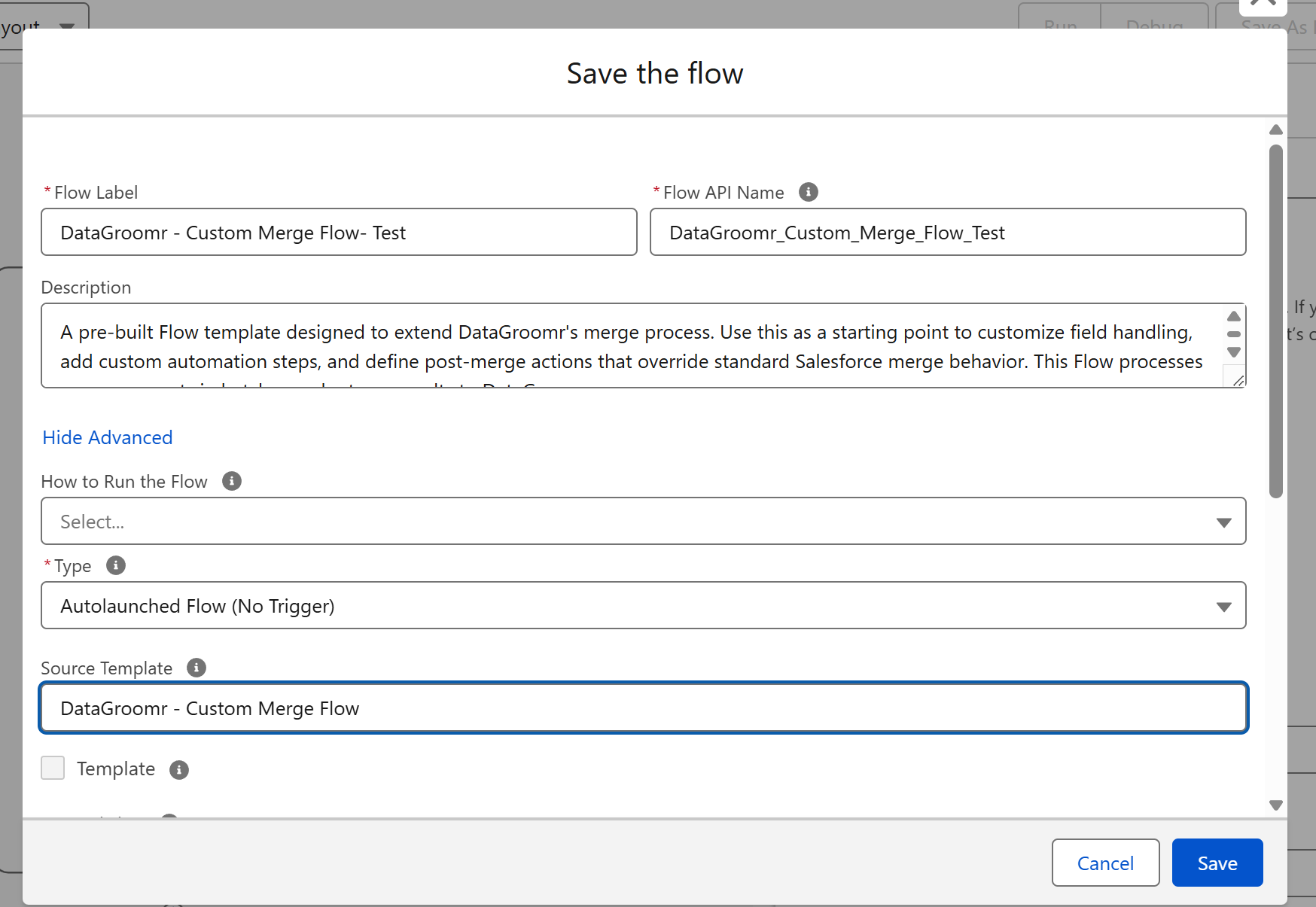
Save and activate the flow.
Configure the dataset to use Custom Flow
Once your flow is activated, it will be ready for use within DataGroomr. Select the desired flow in the "Override standard merge" field located in the Merge tab of a dataset:
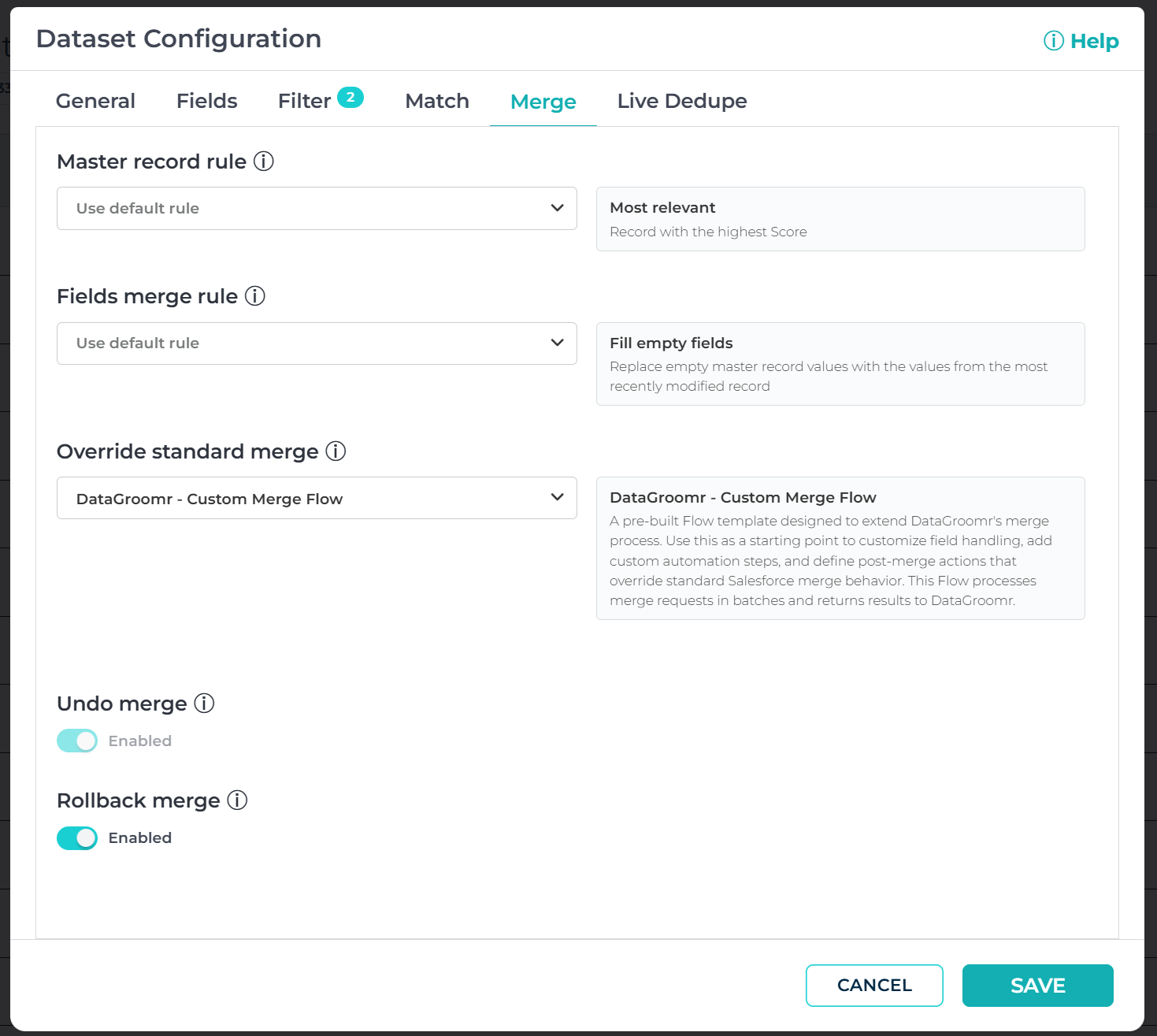
Click Save. Records merged in the selected dataset will be carried out by the Custom Flow, replacing the standard Merge method.