
Dictionaries are used to make your matching models and transformation rules smarter, efficient and more accurate. They are referenced within Classic and Machine Learning models to group or ignore similar names, keywords or abbreviations together and can be used in the Transform rules to do mass updates.
Examples can include (CEO and Chief Executive Officer), people names (“Elizabeth” and “Beth” or “Charles” and “Chuck”), geographical locations (“New York, NY” and “NYC”) and so forth. Another challenge is when extra words or characters are used within abbreviations. A good example is with suffixes such as “Inc” “LLC,” “GmbH,”etc..
The Dictionaries feature is accessible through Setup>Dictionaries. Then create your own Dictionaries by using the Add Dictionary button or by cloning an existing dictionary and adding entries.
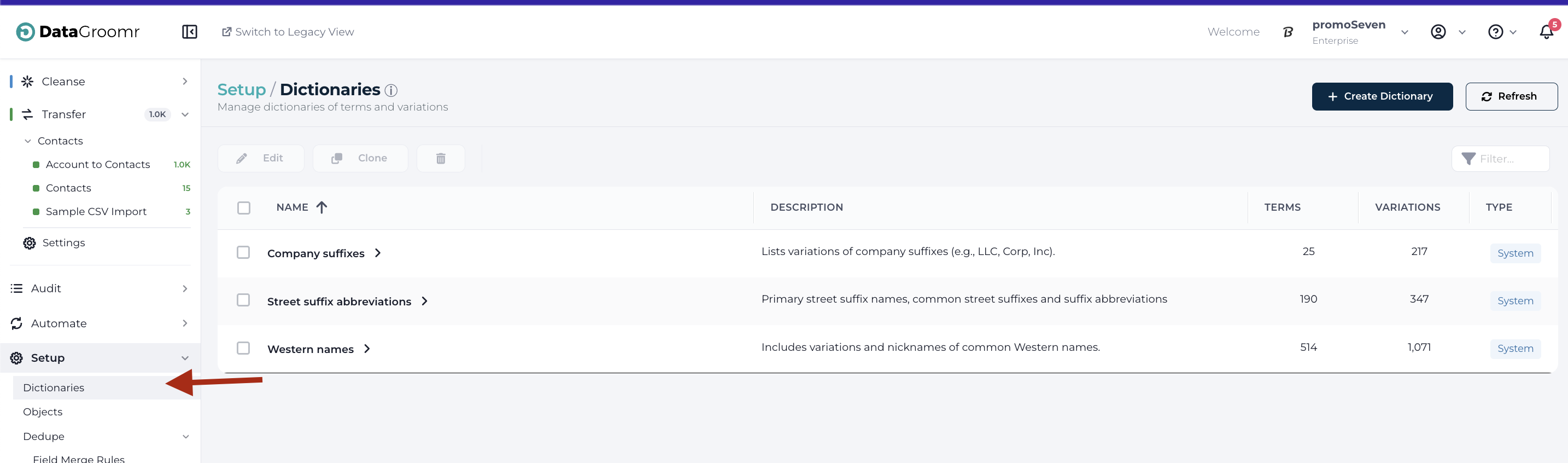
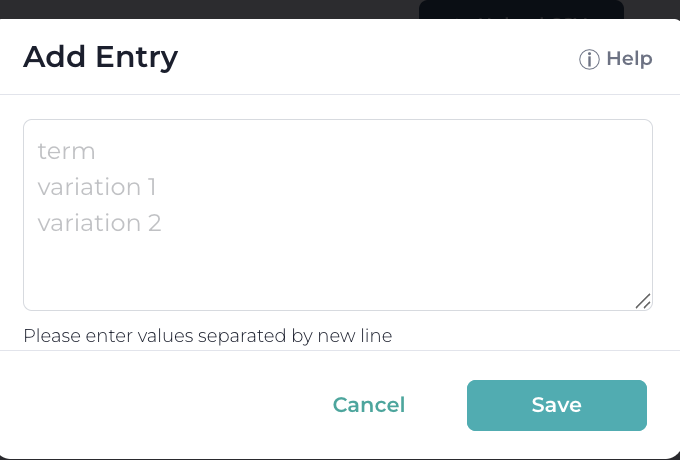
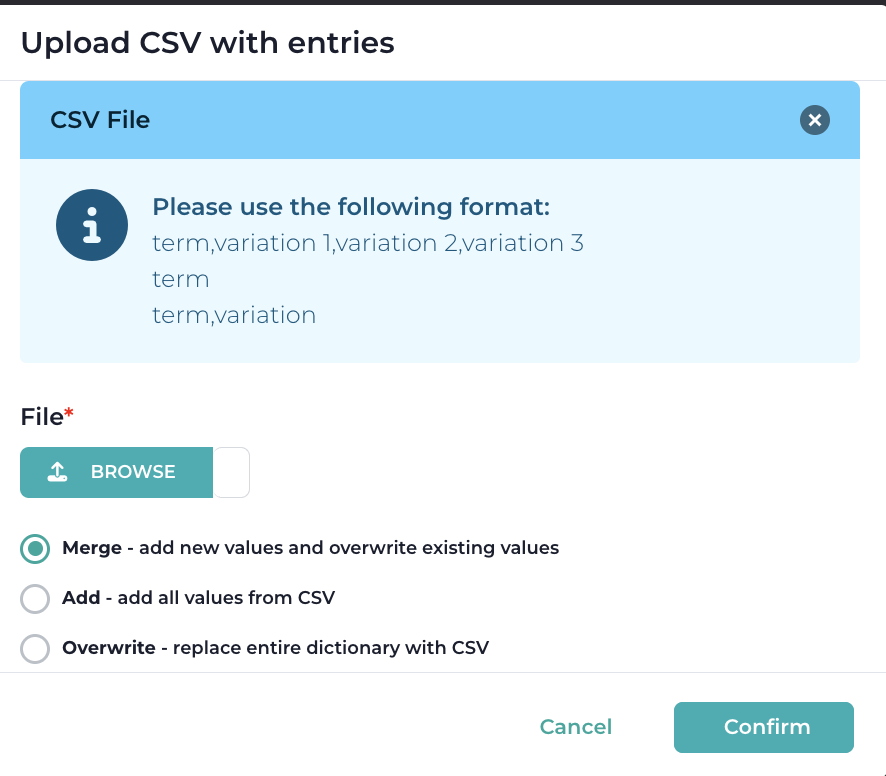
Entries can then be added through a bulk CSV file import or adding entries manually through the user interface.
Using Dictionaries with Matching Models
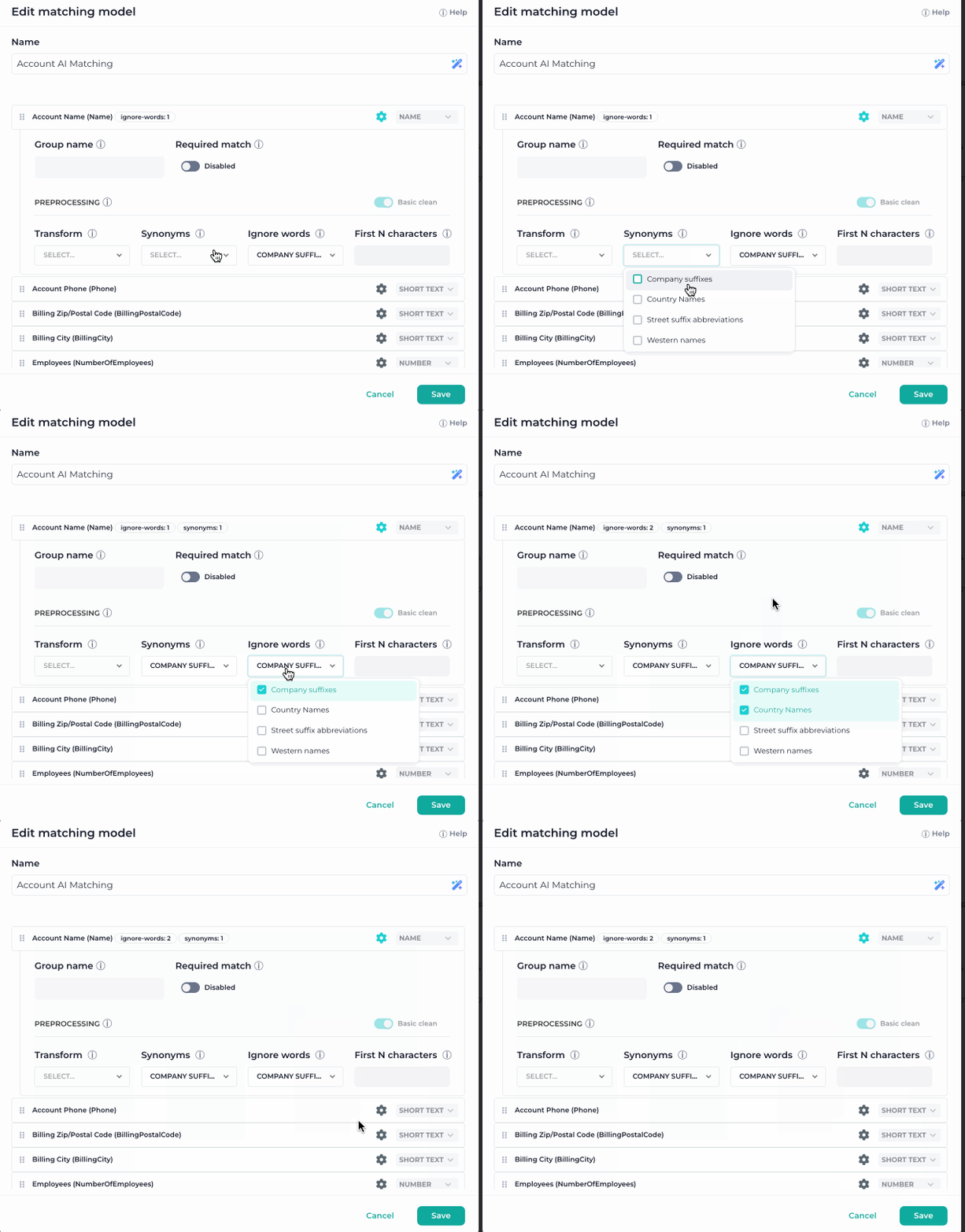
Dictionaries can be used in Machine Learning or Classic Models and assigned as either a Synonym or Ignore Words fields. See this section on how to configure your custom Matching Models
Using Dictionaries with Transform Rules
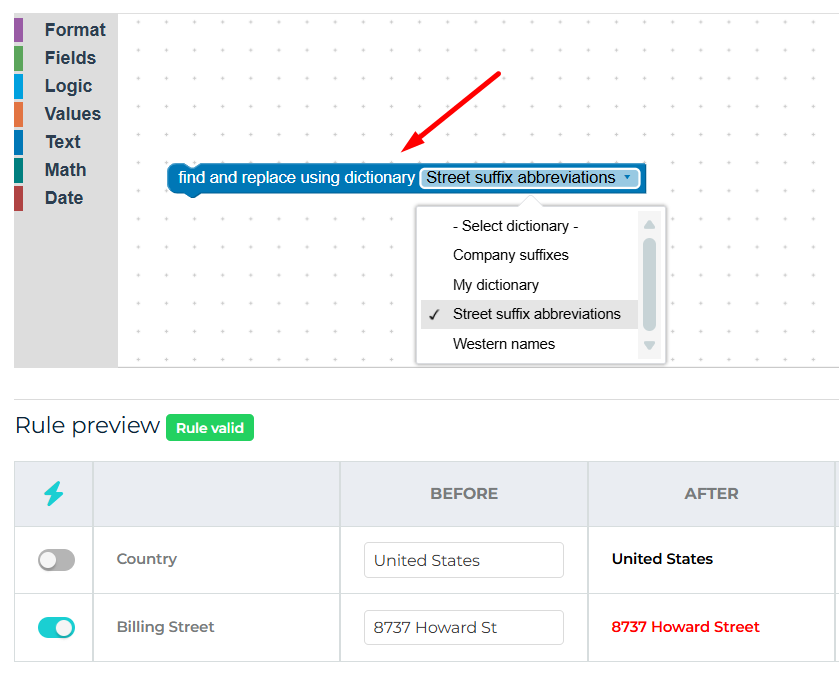
Dictionaries in Transform Rules let you standardize data instantly using pre-built or custom lookup lists. As shown in the example below, simply select “Find and replace using dictionary” block and choose the dictionary you want—such as Street suffix abbreviations—to automatically expand, correct, or normalize values in your fields. During rule execution, DataGroomr scans the selected field, identifies any matches from the dictionary, and replaces them with the standardized values from the primary term. You can also create your own custom dictionaries to support organization-specific naming conventions or formatting rules.
\