
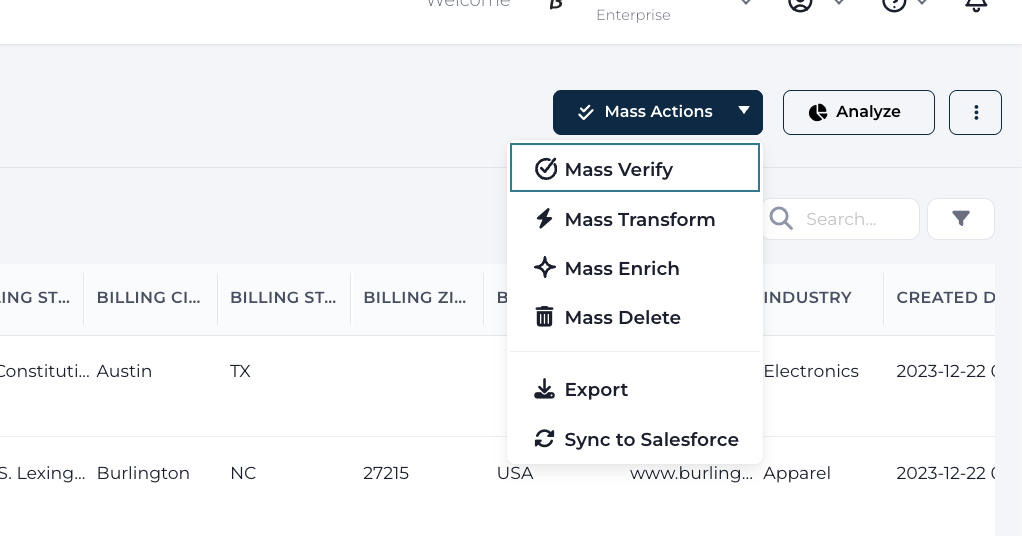
Cleanse provides users an ability to export records from any dataset along with verification information and Data Quality scores. There are two options available:
- Export — generates a CSV file with the selected records and fields
- Sync to Salesforce — writes verification results back to your Salesforce records
Both options are accessible from the dataset extended menu.
Clicking on Export brings up the Export records dialog. In the provided interface set the Min/Max Validity score and custom defined Data Quality Model values to export. Export always generates a CSV file — to write values back into Salesforce, use the separate Sync to Salesforce option instead.
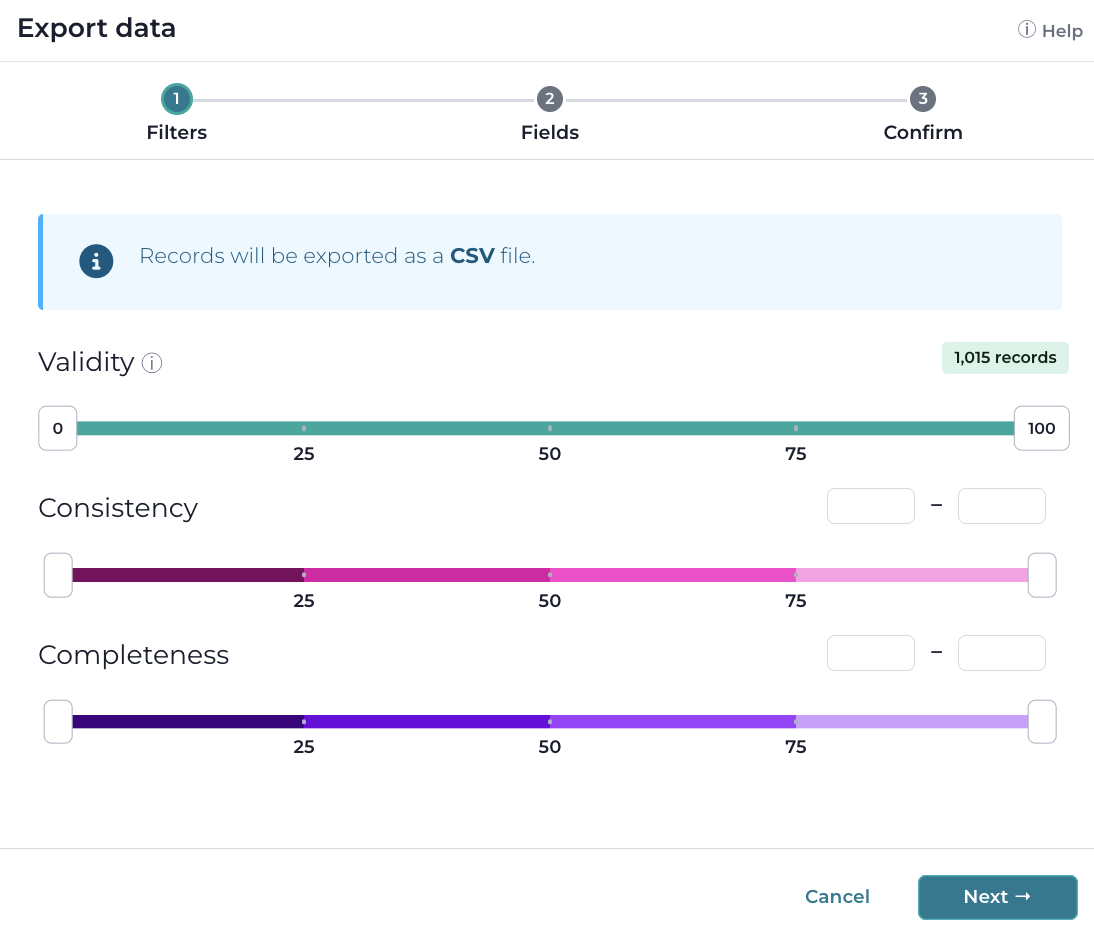
Export (CSV File)
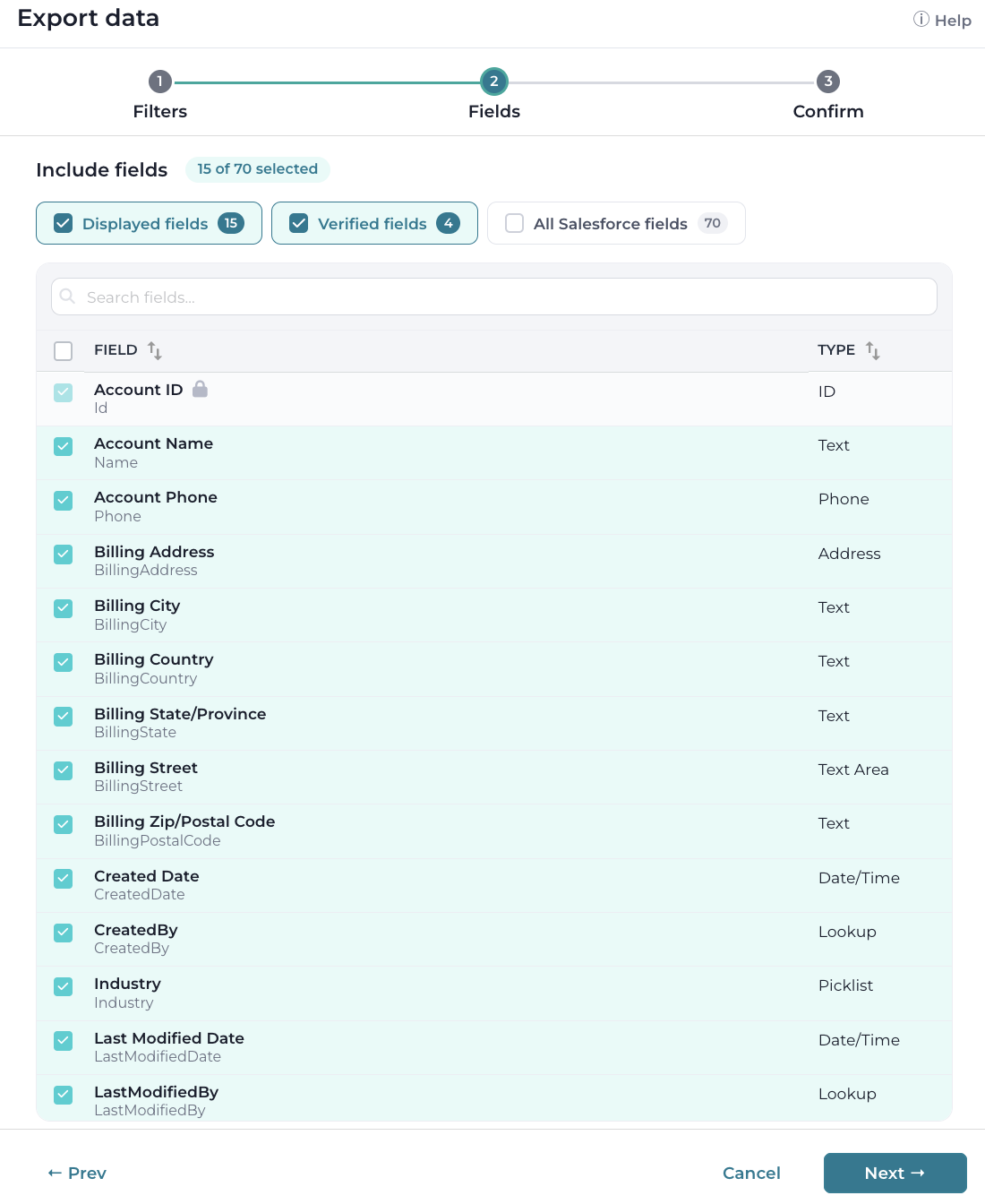
Press Next and then select which fields will be included in the export file. Verified Fields will only export the fields that have been verified by the DG verify utility (ID, Name, DV Score), Verified and Displayed field will export a CSV with the fields configured for the dataset and All Salesforce Fields will export all field values within the record, without the verification score.
Next, press Confirm to begin the export.
Sync to Salesforce
Allows to sync verification data back to Salesforce. Selecting Sync to Salesforce brings up a dialog to map verification results to fields in the selected object. Select which fields should be included in the sync and create new fields if needed.
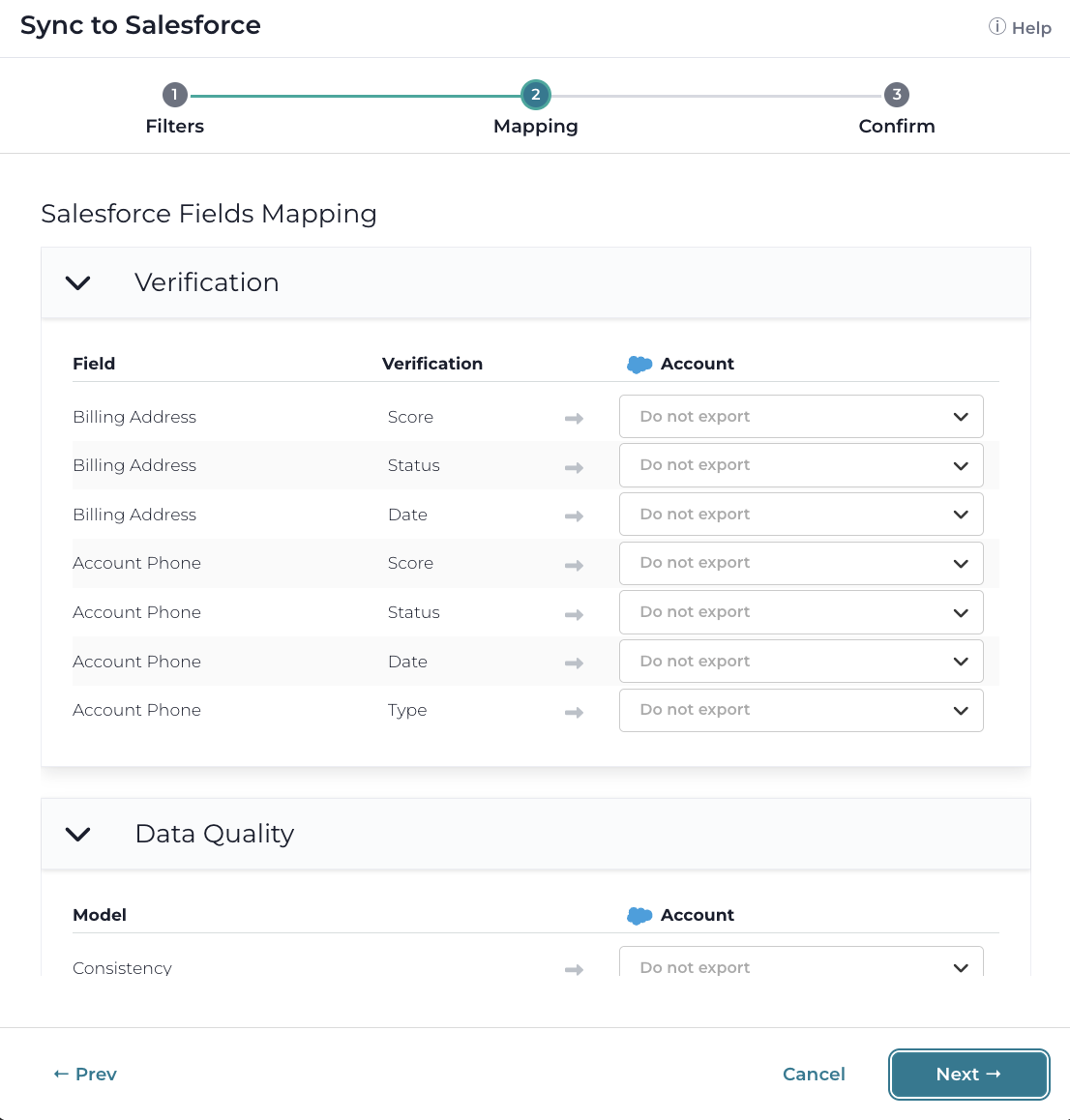
Press Next and then press Confirm to begin the sync.